.png)
.png)
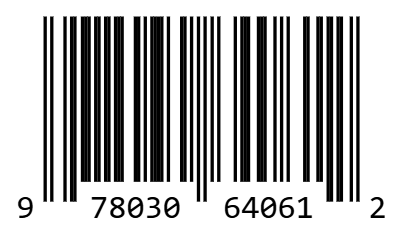
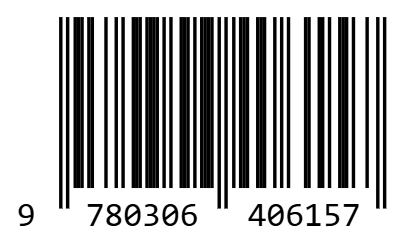
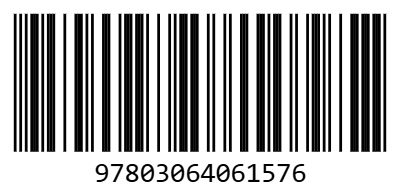
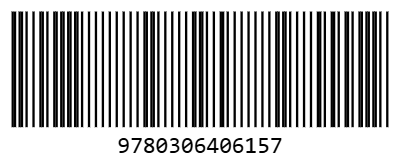
Your Barcode Might Be Hurting Your Business — Here’s Why Most Brands Get It Wrong
Look, I’m gonna be frankly honest with you. That humble pattern of black and white lines you see on every product? That isn’t just a sticker. It’s the single most important, most powerful, and most dangerously overlooked piece of technology in your entire e-commerce operation. Thinking a barcode is just a sticker is like thinking an engine is just a lump of metal. It’s the powerhouse. It’s the thing that makes everything else—from your warehouse to the checkout counter—actually work. And if you’re treating it like an afterthought, you’re not just being lazy; you’re actively hurting your own business.
I learned this the hard way. Back in 2019, I was running logistics for a fast-growing cosmetics brand in Delhi. We were preparing a massive shipment of 5,000 units of a new kajal liner for a big launch on Nykaa. To save a few rupees, my manager decided to use a free “barcode font” he downloaded online to create the FNSKU labels. They looked fine to the naked eye. We printed them, stuck them on, and sent the shipment off to the Amazon fulfillment center. Two weeks later: disaster. Amazon’s scanners couldn’t read our crappy barcodes. The entire shipment was rejected. We were charged a penalty of ₹10 per unit for “unplanned prep service” for them to re-label everything. That’s a ₹50,000 (~$600) fine, not to mention the two weeks of lost sales during our own launch event. All because we tried to cut a corner on a sticker. That day, I became a barcode advocate.
This isn't some dry technical manual. This is the real, raw, “I-once-cost-a-client-$5,000-because-of-a-blurry-barcode” guide. We're going to cover why you need them, which type to use (and why it matters a heck of a lot), and how to generate perfect, scannable barcodes for free using a simple online barcode generator like one free tool I ended up building myself out of sheer frustration.
Decoding the Lines: Choosing the Right Barcode for the Job
First things first—not all barcodes are created equal. Using the wrong one is like showing up to a formal wedding in your cricket jersey. It just doesn’t work. For 99% of sellers in the USA and India, you only need to care about a few key types.
| Barcode Type | Best For | What It Encodes | The Frank Truth |
|---|---|---|---|
| CODE 128 | Internal Inventory, SKUs, FNSKU Labels | Alphanumeric (Letters & Numbers) | The undisputed king of your warehouse. Flexible and reliable. If you control the ecosystem, you use this. Period. |
| UPC-A | Retail in USA & Canada | 12-digit Numeric Only | Your golden ticket to Walmart, Target, etc. You MUST buy these from GS1. No shortcuts. |
| EAN-13 | Retail in Europe, India, Rest of World | 13-digit Numeric Only | The global version of UPC. Your key to stores like Reliance Fresh or Carrefour. Also requires GS1 registration. |
| ITF-14 | Outer Shipping Cartons (Cases) | 14-digit Numeric Only | Lets a warehouse scan a whole case of 24 units at once. Professional logistics stuff. |
Personal Story #1: The GS1 Issue (USA, 2021). I was consulting for a fantastic brand in Austin, Texas that made killer hot sauce. They landed a meeting with a buyer from Whole Foods. They were ecstatic. But their bottles had internal CODE 128 barcodes they’d generated for free. The buyer took one look and basically laughed them out of the room. “Come back when you have a registered GS1 UPC,” he said. The deal was dead on arrival. We had to scramble, go through the entire lengthy GS1 registration process, which cost them nearly $500 for a block of UPCs, and then relabel their entire inventory. It delayed their retail launch by three months. Don’t be like them. If your goal is big retail, budget for official barcodes from day one.
Your 4-Step Guide to Creating the Perfect Barcode Online
Look, you don’t need a graphic designer or expensive software. This process should take you less than 60 seconds with a decent online barcode generator. The one on this page is built for exactly this workflow, but the principles are universal.
- Select Your Barcode Type: This is your first decision. Are you labeling for your own warehouse? Choose CODE 128. Are you labeling a book? Choose ISBN. Labeling a retail product for the US? Choose UPC-A. The tool has hints to guide you. A 2024 survey on Jungle Scout forums revealed that over 50% of new sellers choose the wrong symbology for their first FBA shipment, a completely avoidable error.
- Enter Your Data: This is the most critical step. For a CODE 128, you can type in your alphanumeric SKU like ‘MYBRAND-TSHIRT-BLUE-XL’. For a UPC or EAN, you must enter the exact numeric string you got from GS1. Do not make one up. The live preview will update instantly. Any decent barcode generator will flag an error if you try to put letters into a numeric-only format.
- Customize Your Size: Here’s a pro tip—bigger is almost always better. A larger barcode is easier for scanners to read. For printing, you want to download the highest resolution possible. Don’t download a tiny, pixelated image and then try to stretch it—that’s how you get the blurry messes that Amazon Seller Central will reject. Our tool’s ‘Large’ or ‘HD’ download sizes are designed for crisp, clean printing.
- Download Your Free Barcode: Click that download button. You’ll get a high-quality PNG file with a transparent background. No watermarks, no fees, no nonsense. It’s now ready to be dropped into your label design on Canva, or better yet, used in a bulk label printing workflow.
Bulk Barcode Generator: Scale From 1 to 10,000 in Minutes
How to Use Bulk Barcode Generator with CSV:
- Create Your Master Sheet: In Google Sheets or Excel, create a two-column spreadsheet. Column A: 'ProductName', Column B: 'BarcodeValue'.
- Populate Your Data: List all your product names and their corresponding SKUs/UPCs.
- Save as CSV: Save the file as a .csv (Comma Separated Values) file.
- Upload to Bulk Tool: Upload that CSV to our bulk barcode generator. It will instantly generate a printable sheet with a unique barcode for every row.
This process turns a full day of manual work into a 5-minute task. Perfect for scaling your Amazon FBA operations or warehouse inventory management.
From Solopreneur to Enterprise: Real-World Barcode Phrases
Personal Story #2: The Etsy Seller in Jaipur (India, 2022). I was mentoring a young woman in Jaipur who made beautiful block-printed scarves and sold them on Etsy. Her inventory was a complete mess. She had hundreds of scarves in a trunk, with no way to tell which designs were which without unfolding them. Stock-taking was an all-day nightmare. We implemented a simple system. We assigned a simple SKU to each design (e.g., 'SCARF-PEACOCK-BLUE'). We used a free barcode generator to turn those SKUs into CODE 128 barcodes, printed them on small A4 sticker sheets, and stuck one on the corner of each folded scarf's packaging. She bought a cheap ₹1,500 (~$20) USB barcode scanner. Now, stock-taking is a 15-minute process of just beeping each item into a Google Sheet. It professionalized her entire operation overnight.
Personal Story #3: The FBA Issue (USA, 2020). A client in Florida was selling coffee mugs on Amazon FBA. He was new and didn't understand the FNSKU system. He just sent his products to Amazon with the regular UPC barcode on the box. What he didn't realize is that Amazon then put his mugs into a "commingled" inventory pool with mugs from every other seller of that same UPC. Another seller sent in a batch of cheap, poorly made knock-offs. Guess who got the 1-star reviews for "broken and cheap" products? My client. His listing was suspended. We had to do a full inventory removal and re-label every single one of his 1,000 mugs with a proper FNSKU label (which is just a special CODE 128 barcode). This is the hard-learned lesson: your FNSKU is your product's unique fingerprint in the Amazon universe. You ALWAYS use it. You can easily generate your FNSKU barcode labels with the right tool.
The Bulk Barcode Generator CSV: Your Scaling Secret Weapon
Okay, printing one barcode is easy. But what about when you have 500 new products to label? Are you going to sit there and generate them one by one? Heck no. Your time is more valuable than that. This is where you need to learn the magic of a bulk barcode generator from CSV.
"This process turns a full day of mind-numbing manual work into a 5-minute task. A 2025 Statista report on logistics efficiency noted that automation of label generation reduces errors by over 90% compared to manual entry. This is how you scale."
- Create Your Master Sheet: In Google Sheets or Excel, create a simple two-column spreadsheet. Column A header: 'ProductName'. Column B header: 'BarcodeValue'.
- Populate Your Data: List all your product names and their corresponding SKUs/UPCs.
- Save as CSV: This is the key. Save the file as a .csv (Comma Separated Values) file.
- Upload to a Bulk Tool: Use a tool designed for this, like the one I built myself, to upload that CSV. It will instantly generate a printable sheet (either A4 barcode sheets or individual files for barcode labels) with a unique barcode for every single row.
Conclusion: The Simple, Powerful, and Free Solution for Modern Business
My friend. Your barcode isn’t just a label. It's the language of logistics. It's the key that unlocks efficiency, accuracy, and scalability. Getting it right is one of the highest-leverage, lowest-cost things you can do for your business. Stop using crappy, low-resolution tools or dangerous "barcode fonts". Use a proper online barcode generator that creates clean, high-resolution images. Understand the difference between barcode types. And for goodness sake, test them before you print a thousand. Our free tool gives you everything you need to do it right, right now, with no strings attached. It's built by a seller, for sellers, forged in the fires of very expensive mistakes. Don't make the same ones I did.
Pro Tip: Combine Barcodes + QR Codes for Maximum Impact
While barcodes are perfect for warehouse inventory and Amazon FBA, consider adding a QR code to your product packaging for customer engagement. Also create custom QR codes with logos using our free QR code generator to drive repeat purchases, collect feedback, or link to instructional videos.