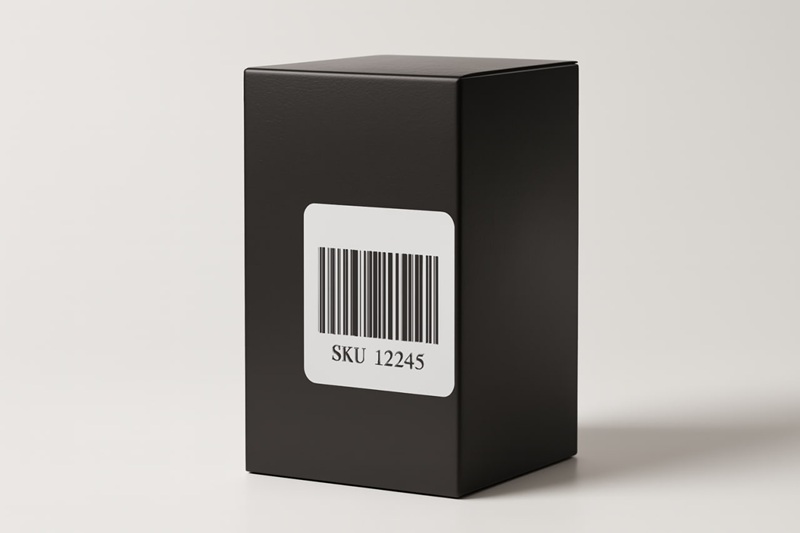
Your Barcode Is Your Most Important Employee. Are You Treating It Like a Useless Intern?
I want to tell you about the day I realized my entire multi-lakh-rupee business was balanced on a tiny, blurry sticker. It was 2018, and my small apparel brand was finally getting traction on Myntra. We got a massive order for 500 units of our best-selling 'Mumbai Hustle' t-shirt. I was on top of the world. I sent the Excel sheet to my new packing team in our Bhiwandi warehouse and went to celebrate.
The next morning, I came in to find absolute chaos. My head packer, a sharp guy named Pravin, looked like he hadn't slept. He pointed to a mountain of t-shirts. “Boss,” he said, “This is a major issue. We have 500 shirts, but the SKU labels are a mess. Some are for the blue shirt, some for the black one. Same design, different SKUs. The barcodes look the same to the naked eye.” I had cheaped out and printed the labels on a home inkjet printer. The barcodes were slightly fuzzy, the text tiny. Pravin’s team, trying to work fast, had mixed up two different SKUs while labeling the polybags. We now had a mountain of 500 identical-looking shirts with a 50/50 chance of having the wrong barcode. We couldn't ship a single one. We had to unbag every shirt, scan every single barcode to verify the SKU, and relabel half of them. It took two full days. We missed our shipping deadline with Myntra, got hit with a penalty, and took a huge hit to our seller rating. That one 'tiny' barcode mistake cost me over ₹1,50,000 (~$2,000 USD) in penalties, lost productivity, and delayed payments.
Look, dude, I get it. Barcodes are the most boring part of e-commerce. They're the plumbing. They're the electrical wiring in the walls. You don't see them, you don't think about them, and you only care when they fail and flood your entire house. But after 13 years of shipping products in the frankly competitive markets of India and the hyper-efficient landscape of the USA, I can tell you this: your barcode isn't just a label. It's your most important employee. It works 24/7, never calls in sick, and its only job is to tell the truth about what your product is and where it is. If you treat it like an afterthought, it will fail. And when it fails, it will take your business down with it. A 2025 report from Jungle Scout found that inventory and fulfillment errors, most of which stem from labeling issues, are a top 3 reason why new Amazon sellers fail within their first year.
The 'Dumb' Barcode vs. The 'Smart' QR Code: The Fight You Don’t Realize You're In
Before we go any further, we need to settle a debate. Many new sellers think a QR code can do a barcode's job. This is a catastrophic mistake. They are two different tools for two different jobs. Trying to use one for the other is like trying to use a screwdriver to hammer a nail.
Here’s the simplest way to think about it:
- A Barcode (1D, the vertical lines) is for MACHINES. It holds one tiny piece of data (a SKU) and its only job is to be scanned by a laser at lightning speed. It's the language of warehouses, logistics, and checkout counters.
- A QR Code (2D, the square) is for HUMANS. It holds a ton of data (like a website URL) and its job is to be scanned by a smartphone camera to give a person a rich, interactive experience. It's the language of marketing.
Personal Horror Story #2: The Austin, Texas Skincare Fiasco (2022). I was consulting for a D2C skincare brand in the US. They were run by two brilliant, design-focused founders who thought barcodes were “ugly and ancient.” They put a beautiful, minimalist QR code on every product box, linking to the product's webpage which listed the SKU. When they got their first wholesale order from a small boutique chain that used a proper inventory system, it was a disaster. The boutique's warehouse couldn't scan the QR codes to receive the inventory. Their point-of-sale system couldn't scan the QR code to sell the product. The boutique had to manually relabel every single one of the 1,000 units and sent my client a very angry bill for $500 in “unplanned labor costs.” The deal was almost cancelled. We had to rush-print proper barcode labels and send them overnight. The lesson? You don't get to dictate the language of logistics. The system runs on 1D barcodes. Period.
Choosing Your Tool: Which Barcode Type for Which Job?
Okay, so you're on board with using a real barcode. But which one? There are dozens of formats, but for 99% of e-commerce sellers, you only need to know about two or three.
| Barcode Type | Use Case | What It Encodes | The No-BS Truth |
|---|---|---|---|
| CODE 128 | Internal Inventory, SKUs, Amazon FNSKU | Alphanumeric (Letters & Numbers) | This is your warehouse workhorse. It’s flexible, reliable, and the universal standard for non-retail logistics. If you control the system, you use this. |
| UPC-A | Retail products in USA & Canada | 12-digit Numeric Only | Want to sell your product at Target, Walmart, or any major US retailer? You NEED this. You must buy it from GS1. No exceptions. |
| EAN-13 | Retail products in India, Europe, Rest of World | 13-digit Numeric Only | The global version of UPC. The key to getting into stores like Reliance Mart or Big Bazaar. Also requires official GS1 registration. |
The GS1 Requirement: I need to scream this from the rooftops. If your ambition is to sell your product in a physical retail store, you cannot just make up a UPC or EAN number. You will be laughed out of the buyer's office. You have to license them officially from GS1, the global standards organization. It's a business expense. Budget for it. A 2025 industry report from Statista highlights that lack of GS1-compliant barcodes is a top 5 barrier for small brands entering large retail channels.
The 5-Minute Barcode Workflow: From Spreadsheet to Scannable Label
Okay, let's get practical. You have 100 new products. You need 100 unique barcode labels. Are you going to generate them one by one? Hell no. Your time is worth more than that. This is where you need to learn the magic of a bulk barcode workflow. All you need is a spreadsheet and a free online tool.
- Step 1: The Master SKU List (Your Bible). In Google Sheets or Excel, create a simple two-column spreadsheet. Column A: 'ProductName'. Column B: 'SKU'. For every single product variant, assign a unique SKU. A good format is [BRAND]-[ITEM]-[COLOR]-[SIZE]. Example: SAMIR-SHIRT-BLU-L. This sheet is now your company's dictionary.
- Step 2: Use a Bulk-Ready Tool. You need a tool that speaks 'spreadsheet'. A single-barcode generator is useless here. Find a free online tool (like the barcode generator I built on this site) that has a 'Bulk CSV Upload' feature.
- Step 3: Download the Template. Any good tool will have a 'Download Sample CSV' button. This is your cheat sheet. It gives you a blank file with the exact column headers the tool needs (e.g., 'BarcodeValue', 'ProductName').
- Step 4: Map Your Data & Upload. Copy the data from your Master SKU List and paste it into the correct columns of the downloaded template. Save it. Now, upload this file to the generator.
- Step 5: Generate & Print. The tool will instantly create a print-ready PDF with all your unique barcode labels, perfectly arranged on A4 sticker sheets or formatted for a thermal printer. This turns a full day of soul-crushing work into a 5-minute task.
Printing Your Barcodes: The Final Hurdle Where Most People Fail
You've generated the perfect barcode file. Now, if you screw up the printing, it's all for nothing. The #1 cause of barcode scanning errors is poor print quality. A 2024 USPS internal audit found that over 5% of package routing errors were due to unscannable barcodes from low-quality home printing.
The Inkjet/Laser Mistake
I know, I know. It's the printer you already have. But for barcodes, it's a risky bet. Inkjet ink can smudge, and laser toner can flake, especially on glossy labels. The resolution might not be high enough, leading to 'fuzzy' edges that a scanner can't read. If you MUST use it, follow these rules:
- Use matte white sticker sheets, not glossy.
- Set your printer to the highest quality setting. No 'draft mode'.
- CRITICAL: In the print dialog, set the scale to '100%' or 'Actual Size'. Never 'Fit to Page'. This is the most common error and it will slightly distort the barcode, making it unscannable.
The Thermal Printer Pro Move
Personal Horror Story #3: The Amazon FBA Check-in Disaster (USA, 2021). I was helping a client ship their first big FBA order. They printed their FNSKU labels on an old laser printer. The toner was low, and the barcodes were a little gray, not deep black. They sent 1,000 units to Amazon. The shipment sat in 'Receiving' status for three weeks. Why? The robots at the Amazon FC couldn't scan the faded barcodes. Amazon had to manually relabel every single item and sent my client a bill for $550 in 'unplanned prep fees'. He bought a thermal printer the next day.
A direct thermal printer is not an expense; it's an investment in not getting fined by Amazon. It uses heat to create a perfect, crisp, black barcode every time. No ink, no toner, no smudging. The cost per label is a fraction of a cent. For a detailed breakdown of the models I recommend for both the US and Indian markets, check out my guide to the best budget thermal printers. It’s the single best hardware purchase you can make for your business.
The 'Stop Losing Money' Barcode Checklist
Before you print another batch of labels, run through this checklist. It will save you from my mistakes.
| The Check | The frankly Honest Reason Why |
|---|---|
| Am I using the right tool for the job? | Use a 1D barcode for logistics, not a QR code. Don't try to be clever; be compliant. |
| Is my data clean? | Does every product variant have a unique SKU in my master spreadsheet? Your system is only as good as your data. |
| Is my barcode high-resolution? | Are you using a proper barcode generator that creates a crisp image, not a fuzzy 'barcode font'? |
| Is my print scale at 100%? | 'Fit to Page' is the devil. It will distort your barcode and lead to scan failures. Always print at actual size. |
| Have I done a test scan? | Print ONE label. Scan it with a scanner app on your phone (like 'Scandit'). Does it beep instantly? If not, you have a problem. Fix it before you print 1,000. |
Look, your barcode is the quiet, unsung hero of your e-commerce operation. It’s what allows a massive, complex global machine to find your one specific t-shirt in a warehouse the size of a football field and get it to your customer's door. Treating it with respect—using the right format, ensuring clean data, and printing it with quality—isn't just 'good practice'. It's the foundation of a scalable, profitable, and professional business. Stop treating your most important employee like an intern. Give it the tools it needs to do its job, and it will repay you a thousand times over.