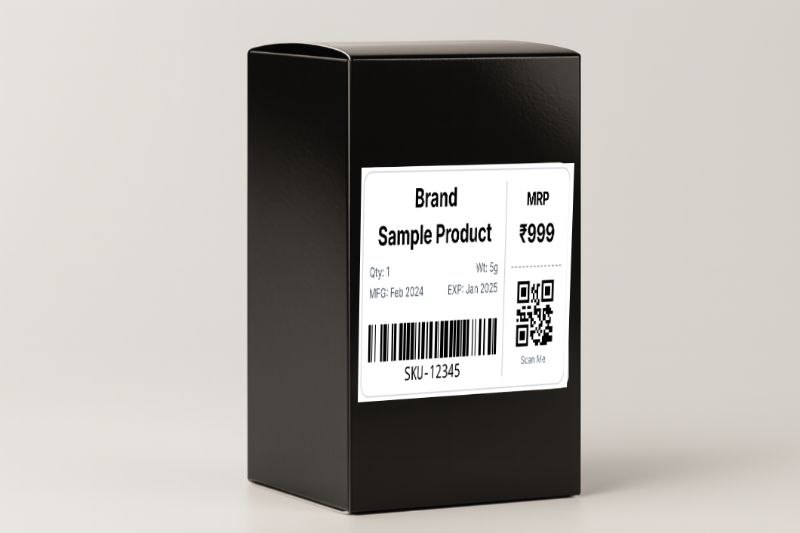
Your Product Label is a Silent Salesperson. Is Yours Getting You Fired?
Look, I’m going to be frankly honest with you. You poured your soul into this product. You lost sleep perfecting that organic face serum, you bled over sourcing the softest Supima cotton for your t-shirts. Your product is your baby. But the moment it lands on a cold, competitive retail shelf or in a customer’s unboxing video, you’re not there to tell its story. Your product label is. And that little sticker has about three seconds to do an impossible job: grab attention, build trust, convey critical information, and justify your price. Get it wrong, and your incredible product gets mentally tossed into the 'cheap and untrustworthy' bin, no matter how amazing it actually is.
A 2025 consumer report from Jungle Scout found that 68% of shoppers admit that the product's packaging and label design directly influence their perception of a brand's quality. It's not just a sticker, bro. It's an important tool. And right now, you're probably bringing a butter knife to a major challenge.
I learned this the hard way. Back in 2018, I was trying to launch a line of high-end, infused honey in the US market. The product was fantastic—sourced from Himalayan apiaries, infused with saffron from Kashmir. I was charging a premium $20 a jar. But my labels? I designed them myself in some free online tool. They were... fine. But the font was a little generic, the text was slightly misaligned, and the barcode I generated was a bit fuzzy. The product sat on shelves. I got a few online sales, but a ton of cart abandonments. Then a retail buyer gave me the feedback that changed my life. He said, “Samir, I love the honey. But the label looks like it was made in Microsoft Paint. It feels like a $7 product. The label has to match the price.” That night, I redesigned everything. I didn’t change the honey. I changed the story on the jar. My sales tripled in the next quarter. This isn't a design guide. This is a sales guide. This is the no-BS playbook for creating product labels that sell your product for you, with real stories and free tools you can use today.
The Four Jobs of a Product Label (You're Probably Only Doing One)
- To Identify (The Obvious Job): What is this? 'Organic Rosewater Face Mist'. Duh.
- To Inform (The Compliance Job): What's in it? How much is there? When does it expire? This is the stuff that keeps you from getting sued or fined.
- To Persuade (The Sales Job): Why should I buy this over the ten other options? 'Made with Bulgarian Roses', 'Alcohol-Free', 'Hydrates and Refreshes'. This is your 3-second elevator pitch.
- To Function (The Logistics Job): How does this move through a supply chain? This is the scannable barcode. Without it, you can't sell on Amazon FBA or get into any serious retail store.
Most sellers stop at job #1. The pros master all four. The free product label maker I built on this site was designed around nailing all four of these jobs, because I learned the hard way what happens when you miss one.
The Compliance Minefield: MFG, EXP, and Other Acronyms That Can Hurt You
Personal Story #1: The Expired Face Cream Fiasco (USA, 2021). I was consulting for a skincare brand. They were getting hammered with 1-star reviews saying their Vitamin C serum was arriving brown and oxidized. They swore the product was stable for 12 months. The problem? Their labels didn't have a manufacturing (MFG) or expiry (EXP) date. They had no idea if a customer was getting a bottle made last week or if a bottle that had been sitting in a hot FBA warehouse for 18 months. They couldn't defend themselves. They had no data.
They had to issue a massive recall and refund. A simple 'MFG: 08/23, EXP: 08/24' sticker would have saved them $50,000. For food, cosmetics, supplements, or anything perishable, this isn't optional. In India, it's legally mandated by the FSSAI. In the US, the FDA will come down on you like a ton of bricks if you're caught selling expired goods. A Statista report from 2025 found that 82% of consumers would not repurchase from a brand if they received an expired product.
The Barcode: Your Ticket to the Big Leagues
You think you can get away without a barcode? Cute. Maybe on Etsy. But if you want to sell on Amazon FBA, or get into any physical retail store, from a small boutique to a giant like Walmart, a scannable barcode is your entry ticket. It’s the universal language of inventory.
Personal Story #2: The Barcode Blackout (USA, 2022). I was launching a new product and sending my first shipment to an FBA warehouse. To save money, I generated my FNSKU barcodes using a free 'barcode font' in a Word document. It looked fine to my eye. It was not fine. The font wasn't fully compliant with Amazon's scanner specs. The barcodes were unreadable. My shipment of 500 units arrived at the warehouse and got stuck in 'Receiving' limbo for three weeks. I finally got a notification from Amazon: they had to manually re-label every single unit and were charging me a $0.55 'unplanned prep service' fee per item. That's a $275 'stupid tax' because I tried to cut a corner. A proper barcode label generator creates a high-resolution image, not a font, which is why it's so much more reliable. As I cover in my full guide to FBA labels, this is a non-negotiable step.
The Anatomy of a Perfect Product Label
| Component | Why It's Critical | Pro Tip |
|---|---|---|
| Brand Name | Builds recognition and trust. | Keep it clean and prominent. This is your signature. |
| Product Name | Tells the customer exactly what it is. | Be descriptive. 'Hydrating Rosewater Mist', not just 'Face Mist'. |
| Net Wt. / Qty. | Legally required in most places. Manages expectations. | Use standard units (e.g., 'fl oz' or 'ml', 'g' or 'oz'). |
| Price / MRP | The call to action. In India, MRP is legally required. | Use charm pricing (e.g., $9.99 instead of $10.00). It works. |
| MFG/EXP Dates | Critical for perishable goods. Builds trust for all products. | Use a clear format, e.g., 'MFG: 08/25, EXP: 08/27'. |
| SKU Barcode | The key to logistics and inventory management. | Always use a high-resolution, image-based barcode, not a font. |
| QR Code | A bridge to your digital world. | Link to a 'how-to' video, a special offer, or your Instagram. Give them a reason to scan. |
The Free Way to Create Pro Labels: The Bulk CSV Workflow
- Create Your Master Product Sheet: This is your bible. Open Google Sheets or Excel. Create a master file with a column for every single piece of data: ProductName, SKU, Price, MFG_Date, EXP_Date, etc. This is your single source of truth. Any change to a product happens here first.
- Find a Bulk Label Generator: You need a tool designed for this. A free tool like the one I built on smartlabelprint.com is perfect. Go to the product label generator.
- Download the Template: The tool will have a 'Download Sample CSV' button. This is your cheat sheet. It will give you a blank spreadsheet with the exact column headers the tool needs.
- Map Your Data: Now, just copy the data from your master sheet and paste it into the correct columns of the template. This mapping process takes 5 minutes, but it ensures perfect accuracy.
- Upload and Generate: Upload your completed CSV template to the tool. In seconds, it will generate a multi-page PDF with a unique, perfectly formatted, barcode-and-QR-code-included label for every product in your list.
Printing: The Final Frontier Where Quality is Decided
Option 1: The A4/Letter Sheet Method
This is where most people start. Use your existing inkjet or laser printer. But for the love of God, don't just print on plain paper. Buy proper A4 or US Letter sticker sheets. For product labels, you want a sheet with pre-cut labels. The 70x42.3mm size is a great, versatile option that gives you 21 labels per sheet. It's cost-effective.
CRITICAL TIP: When you print, go to your printer settings and set the scale to '100%' or 'Actual Size'. DO NOT use 'Fit to Page'. This will shrink your label just enough to make the barcode unscannable. Every major courier, from USPS to Delhivery, emphasizes this in their guidelines.
Option 2: The Pro Move - Go Thermal
If you're printing more than 50-100 product labels a week, it's time to stop messing around and buy a thermal printer. As I break down in my guide to printer costs, the savings are insane. There's no ink or toner to buy, ever. The labels are smudge-proof and waterproof. And the speed is incredible. You can print one-off labels without wasting a whole sheet. A good budget thermal printer from a brand like Rollo or MUNBYN will cost you around $150-$250, but it will pay for itself in saved supplies and time within a few months. For Indian sellers, brands like TSC and TVS are the go-to workhorses.
The Final 'Don't Screw It Up' Checklist
| The Check | The 'Why It Matters' |
|---|---|
| Does it look expensive? | Your label design must match or exceed the perceived value of your product. Use good fonts, clean layouts. |
| Is it compliant? | Does it have the legally required info (MRP, Net Wt., MFG/EXP for India; FDA-compliant info for US cosmetics/food)? |
| Did you test the barcode? | Print one label. Scan it with a barcode scanner app on your phone. Does it read instantly? |
| Did you test the QR code? | Scan it. Does it go to the correct, non-broken URL? |
| Is it legible? | Can you read the smallest text on the label without squinting? Assume your customer has worse eyesight than you. |
Your product label is the single most hardworking piece of marketing you own. It's your salesperson, your compliance officer, and your logistics coordinator, all rolled into one sticky little square. Stop treating it like an afterthought. Give it the attention and the strategy it deserves. Use a data-driven workflow, choose the right printing method, and create a label that doesn’t just sit there—make it sell.