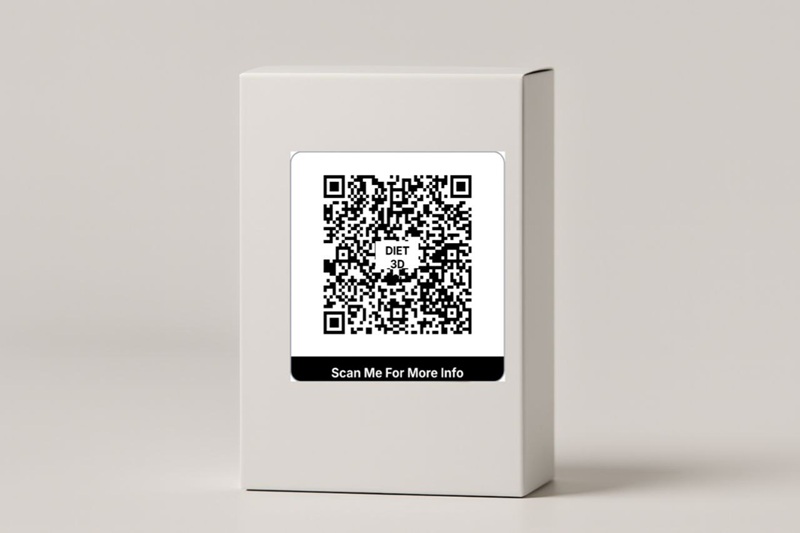
Your QR Code is Probably a Useless Gimmick. Here's How to Make It a Money-Printing Machine.
Let's be real for a second. You've seen them everywhere. Those little pixelated squares on posters, on menus, on product packaging. You probably even have one on your business card. And what does it do? It links to your generic homepage. Wooow. Groundbreaking. Let me tell you something, dude: a QR code that just links to your homepage is the digital equivalent of a limp handshake. It's a missed opportunity of epic proportions. You're using a sophisticated piece of technology to do something a simple, printed URL could do. It's lazy, it's boring, and your customers are not impressed. In fact, they're probably annoyed they wasted the three seconds it took to scan it.
After 5 years of clawing my way through the e-commerce jungle, from selling handmade goods out of a dusty Mumbai warehouse to managing sophisticated D2C brands in California, I've learned that the space on your packaging is the most valuable real estate you own. It's the one place you have your customer's undivided attention. And using that space for a lazy QR code is like owning a billboard in Times Square and using it to post a picture of your lunch. It's a waste.
But here's the thing: it doesn't have to be that way. A QR code, when used correctly, isn't just a link. It's a bridge. It's a portal from the physical world of your product directly into a curated digital experience that you control. It can be a powerful tool for marketing, customer support, and, yes, actually making you more money. A 2025 report from Statista projects that the number of smartphone users scanning QR codes will surpass 1.5 billion worldwide, with the highest growth in mobile-first markets like India and the USA. This is no longer a niche behavior; it's a mainstream consumer habit. So, this is the deal. We're going to stop treating QR codes like a gimmick. We're going to turn them into strategic assets. This is the no-BS guide to using QR codes to build a real connection with your customers and drive repeat business, complete with real-world stories of what works and what's a complete waste of time.
The Cardinal Sin of QR Codes: The Generic Homepage Link
Why is linking to your homepage so bad? Because it respects neither your customer's time nor their context. They just bought your product. They are holding your product in their hands. They are in a specific, product-focused mindset. Sending them to your generic homepage, with its dozen different navigation links, 'About Us' page, and blog posts, is a jarring experience. You're making them do the work. You're forcing them to find the relevant information. And guess what? They won't. They'll close the browser tab and feel vaguely disappointed.
Personal Story #1: The Confusing Coffee Maker (USA, 2022). I ordered a fancy new cold brew coffee maker from a startup brand online. It came with a beautiful QR code on the box that said, 'Scan for Instructions.' I scanned it, excited for a quick start guide. It took me to their homepage. I had to click 'Products', find the coffee maker I bought, click on it, scroll past all the marketing copy, and finally find a tiny link to a downloadable PDF manual at the bottom of the page. The process took over a minute. It was infuriating. I almost returned the product out of sheer annoyance. They had a golden opportunity to give me a 'wow' experience and they completely fumbled it.
The “Value-First” QR Code Strategy: Give, Don't Just Take
The secret to a good QR code is simple: it has to provide immediate, context-specific value to the person who just scanned it. It should be a reward for their curiosity. Here are four battle-tested strategies that work.
Strategy 1: The Instant Problem-Solver (Instructions & How-To's)
This is the most powerful and underutilized QR code strategy, especially for products that require any kind of assembly, setup, or specific usage instructions. Don't make them read a tiny, poorly-translated paper manual. Give them a video.
Personal Story #2: The Skincare Savior (USA, 2023). I was advising a small, organic skincare brand in California. They had a fantastic 3-step 'Glow Up' kit, but they were getting a ton of customer service emails asking, 'In what order do I use these?' and 'How much of the serum should I apply?' It was hurting their productivity. My suggestion: we added a simple QR code label to the inside of the box lid that said, 'Your 2-Minute Path to Glowing Skin. Scan Me.' The code linked directly to an unlisted YouTube video. It wasn't fancy—just the founder, in her bathroom, showing exactly how to layer the products. The results? Their 'how to use' customer support tickets dropped by over 70% in one month. The cost? Zero. A Wyzowl 2025 report found that 91% of consumers have watched an explainer video to learn more about a product or service. You're just putting that video right where they need it, when they need it.
How to do it for free:
- Film a simple video on your smartphone.
- Upload it as 'Unlisted' to YouTube so it doesn't clutter your main channel.
- Create a QR code that links directly to that YouTube video URL using a free QR code generator.
- Print it on a simple sticker or card. You can even design these for free in a tool like Canva.
Strategy 2: The Exclusive Content Unlock (Recipes & Guides)
This is about making your customer feel like an insider. The QR code is a key to a secret club. This works incredibly well for food, beverage, or craft-related products.
Personal Story #3: The Masala Money-Maker (India, 2021). This was my own brand. We sold artisanal spice blends. We put a QR code on our garam masala packaging that said, 'Scan for My Mother's Secret Chicken Curry Recipe.' It was a smash hit. Over 40% of customers scanned it. But here's the trick: the QR code took them to a hidden landing page on our Shopify store. The page had the recipe, yes, but it also had a video of me talking about the spice blend's origin story and, most importantly, a one-time 15% discount code for their next purchase. Our repeat purchase rate shot up by 22% in three months. That simple QR code was a marketing funnel, right there on the packaging.
Strategy 3: The Seamless Re-Order/Accessory Upsell
This is a direct, frictionless path to more sales. Make it stupidly easy for them to buy from you again.
Personal Story #4: The Filter Fortune (USA, 2020). I worked with a company selling high-end water pitchers. Their business model depended on selling replacement filters. Their old method was a tiny line in the manual that said, 'Replacement filters available at ourwebsite.com'. Their re-order rate was abysmal. My fix: we put a big, bold QR code sticker right on the pitcher's lid. It said, 'Time for a New Filter? Scan to Re-Order in 10 Seconds.' The QR code didn't just go to the homepage. It went directly to the filter product page with the item already in the cart. All the customer had to do was check out. Their filter subscription and re-order rate increased by over 200%. We removed every possible point of friction. Don't make them search. Take them directly to the 'buy' button.
Strategy 4: The UPI Payment Power-Up (India-Specific Goldmine)
This is a massive opportunity that almost every small Indian business is missing. In India, QR codes are synonymous with UPI payments. You can leverage this learned behavior.
Personal Story #5: The Kirana Store Hack (Mumbai, 2024). I was helping my local kirana (neighborhood grocery) store owner. He was trying to compete with the big online grocery apps. He started offering free home delivery in our building. On every delivery bag, we slapped on a simple sticker. It had his logo and a QR code. The QR code was a UPI payment link generated from his PhonePe app. The text next to it said, 'Need to re-stock? Scan to pay and send your list on WhatsApp.' It was a game-changer. His elderly customers, who were uncomfortable with complex grocery apps but comfortable with UPI, loved it. They would just scan, pay a nominal amount, and send him their grocery list on WhatsApp. He essentially created his own hyperlocal, low-tech ordering system using a simple QR code label.
How to do it for free:
- Open your UPI app (Google Pay, PhonePe, Paytm). Find the 'My QR Code' or 'Receive Money' section.
- Save the QR code image.
- Use a free online QR code generator to create a code using the UPI link itself (it looks like upi://pay?pa=your-vpa@okhdfcbank...). This often creates a cleaner, more universal code.
- Print it on your labels or inserts.
Designing & Printing QR Labels That Don't Suck
Okay, so you've got a fantastic strategy. Now how do you make a label that people will actually scan?
The 'Don't Make Me Squint' Checklist:
| Rule | Why it Matters |
|---|---|
| Size Matters | Your QR code should be at least 1 x 1 inch (2.5 x 2.5 cm). Anything smaller is a struggle for phone cameras to focus on, especially in low light. |
| Contrast is King | The classic black-on-white is the best. If you use brand colors, make sure there is a very high contrast between the dark squares and the light background. A light grey on a white background is a recipe for failure. |
| The 'Quiet Zone' | Leave a bit of empty space (a margin) around the QR code. Don't cram text or other design elements right up against it. Scanners need this 'quiet zone' to identify the code. |
| Add a Call to Action (CTA) | This is the most important rule. Never just print a QR code on its own. Always include a short, compelling line of text that tells the user WHY they should scan it. 'Scan for a Secret Recipe,' 'Scan for 20% Off Your Next Order,' 'Scan to Watch the Assembly Video.' Give them a reason. |
| Test, Test, Test! | Before you print 5,000 labels, print ONE. Scan it with an iPhone. Scan it with a mid-range Android phone. Scan it in good light. Scan it in bad light. Does it work instantly, every time? If not, make it bigger or increase the contrast. |
Printing Your QR Labels for Free:
You don't need a fancy label printer (though a thermal printer is amazing for this). You can do it with what you have.
- Generate Your Code: Use a free online generator. The one I built is obviously my favorite, but any good one will do. Download the QR code as a high-resolution image (PNG is great).
- Design Your Label: Open up a free tool like Canva or even Google Slides. Create a custom canvas (e.g., 2x2 inches). Import your QR code image, add your Call to Action text, and your logo.
- Arrange for Printing: Create a full A4 or US Letter size canvas. Copy-paste your small label design multiple times to fill the page.
- Print: Print the full page onto a sheet of sticker paper at 'Actual Size' (100% scale). Cut them out, and you're good to go.
Conclusion: Stop Wasting Your Best Marketing Moment
Look, dude. Your customer's unboxing moment is sacred ground. It's the peak of their excitement and engagement with your brand. Stop desecrating it with a lazy, pointless QR code that links to your homepage. Start treating it like the powerful, strategic marketing tool it is. Give them value. Solve their problems. Make them feel like an insider. Build a bridge back to your brand. Do that, and you’ll turn a simple, pixelated square from a useless gimmick into a machine that prints you money.