Your Shipping Labels Are a Ticking Time Issue. Here’s How to Resolve It.
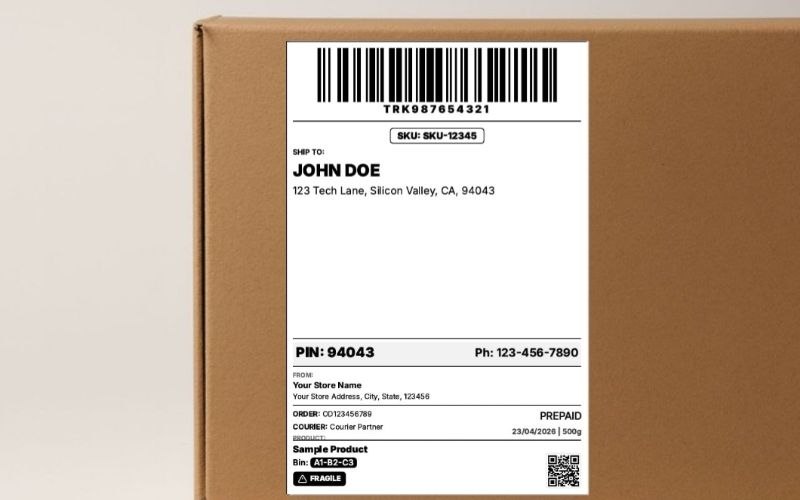
Look, I’m going to be frankly honest with you. The single most boring, unsexy, and soul-crushing part of your e-commerce business is also the one that’s most likely to damage it. I’m talking about that humble, sticky little rectangle: the shipping label. You think it’s just paper and ink? Bro, that little sticker is a major risk. For years, I treated it like an afterthought. And for years, it cost me a fortune. I’m talking thousands of dollars in lost inventory, weeks of delayed shipments, and enough customer service headaches to give a seasoned seller PTSD. It's a slow, silent bleed that most sellers don't even notice until they're hemorrhaging cash.
This isn't some fluffy marketing guide written by a dude who's never packed a box. I’m Samir, and I’ve been in the e-commerce trenches for 5 years, shipping everything from handcrafted leather goods out of a dusty Mumbai godown to pallets of tech gadgets from a warehouse in California. I built this very tool after one particularly tough Mumbai monsoon season in 2017 where the ink on my inkjet-printed labels literally melted in transit, costing $5,000 in lost inventory. I learned the hard way that your shipping label isn't just a piece of paper; it’s the heart of your entire logistics operation. Get it wrong, and your business has a major problem.
The Three Leaks Silently Sinking Your Shipping Budget
Before you can fix the problem, you need to understand where you're bleeding money. A 2025 report from logistics analysts at ShipMatrix found that small e-commerce businesses overspend on shipping by an average of 22% due to operational inefficiencies. That's a huge figure. And it usually comes down to three things:
The Ink & Toner Scam: This is the big one. Printer companies practically give away their inkjet printers because they know they'll make a fortune on the ink. A single set of original HP or Canon cartridges can cost you $50 in the US or ₹3,000 in India, and you’ll be lucky to get 200-300 pages out of it. It's a financially ruinous model for any business shipping at volume.
The Paper Waste Nightmare: Marketplaces like Amazon Seller Central. You print the label. It comes out on a full A4 or US Letter page, with your single small label sitting in the corner. You just wasted 75% of an expensive sticker sheet. Doing this for 50 orders a day is like setting a pile of cash on fire every morning.
The Time Suck: This is the hidden issue. The hours you and your team spend manually copy-pasting addresses, fighting with Word templates, cutting out labels with scissors... that's time you’re not spending on marketing, sourcing, or customer service. According to a 2024 Jungle Scout seller report, fulfillment-related tasks consume up to 30% of a small seller's workweek. That's a day and a half lost to busywork!
My $1,200 Yoga Mat Mistake: A Tough Lesson in Dimensional Weight
Here’s a personal story that every seller needs to hear. In 2019, I was selling these bulky but super lightweight yoga mats in the US. They weighed less than 2 lbs. I thought, "I'm a genius! Shipping will be cheap!" I sent my first 50 orders via UPS, calculating the cost based on the actual weight. A week later, I got a billing adjustment that made my blood run cold. UPS had charged me based on the dimensional weight of the large boxes, which came out to be 8 lbs each. That one stupid mistake cost me over $1,200 in unexpected shipping fees. The lesson was burned into my soul: the size of your box is often more important than its weight. Always use the smallest box you can safely get away with. It’s a non-negotiable rule of the game.
The Free Playbook: How to Stop the Bleeding, Today, Without Spending a Dime
Step 1: Your Data is Your Tool - Master the CSV
Stop thinking of your orders as a list of names and start thinking of them as structured data. Every single e-commerce platform on earth, from Shopify to WooCommerce to your own custom site, allows you to export your unshipped orders as a CSV file. This is your new best friend. This simple spreadsheet is the key to unlocking bulk processing and eliminating manual errors.
Your Mission: Export your orders. Open the file in Google Sheets or Excel. Clean it up. Delete the 50 columns you don't need. You want a clean sheet with just the essentials: Name, Address 1, Address 2, City, State, Pincode/ZIP, and Phone. This is your source of truth.
Step 2: The Magic of Bulk Generation
Now you use that clean CSV file to feed a bulk label generator. This is the core of the workflow. Instead of copy-pasting one by one, you upload the entire file, and the software does the heavy lifting.
The Free Workflow:
- Go to a free online tool built for this (like one free tool I built on smartlabelprint.com, the A4 shipping label generator).
- Download the tool's 'Sample CSV'. This is the cheat code. It shows you the exact column headers the tool expects.
- Copy your data from your cleaned-up export file and paste it into the correct columns of the sample template. Save it.
- Upload your new, perfectly formatted CSV to the tool.
In seconds, the tool will spit out a multi-page PDF with every single one of your labels, perfectly formatted and ready to print. The task that used to take you an hour of soul-crushing copy-pasting is now done in less time than it takes to brew a cup of coffee. A recent Statista 2025 survey indicates that small businesses that adopt this kind of light automation see a 40% increase in fulfillment speed.
Printing Perfection: The A4 vs. Thermal Showdown
Method 1: The A4/Letter Sheet Hustle (The Beginner's Game)
| Pros | Cons |
|---|---|
| Uses hardware you already own. | Ink/toner costs are astronomical over time. |
| Sticker sheets are readily available. | Incredibly wasteful if you don't print a full sheet. |
| Good for very low volume (1-10 orders/day). | Slow. The process of printing, cutting, and peeling is a time-suck. |
Personal Story: In my early days in Mumbai, my entire operation was an HP DeskJet and stacks of A4 sticker paper from the local stationery shop. It worked. But I vividly remember the constant anxiety of running out of the ₹1,500 black ink cartridge, which felt like a king's ransom back then.
Method 2: The Thermal Printer Revolution (The Pro Move)
This is the upgrade that separates the amateurs from the professionals. A direct thermal printer (like a Rollo or MUNBYN) uses a heated printhead to activate special, heat-sensitive paper. No ink. No toner. Ever.
| Pros | Cons |
|---|---|
| ZERO ink or toner costs. Your only consumable is the labels. | Upfront hardware cost ($150-$250 / ₹12,000-₹18,000). |
| Blazing fast. Prints a 4x6 label in about a second. | Requires a different workflow (but tools can automate this). |
| Prints are waterproof and smudge-proof. | Can only print in black and white. |
The Golden Rule of Printing (I'm Begging You, Please Listen)
I don't care if you're using a $50 inkjet or a $500 thermal printer. This one setting is sacred. When you print your PDF, go into the printer's settings. Find 'Page Sizing' or 'Scale'. Set it to '100%' or 'Actual Size'. NEVER, EVER use 'Fit to Page'. 'Fit to Page' will slightly shrink your label to add margins, which can distort the barcode just enough to make it unscannable. This is the #1 cause of rejected FBA shipments and carrier issues, as noted in official guides from both USPS and FedEx.
The Final Checklist: Your Path to Shipping Sanity
- Embrace the CSV: Stop copy-pasting. Start exporting.
- Use a Bulk Generator: Find a free online tool. Map your columns once. Save hours forever.
- Optimize Your Printing: If you're on A4, use a '4-up' layout to save paper. If you're shipping more than 20 orders a day, for the love of God, start saving for a thermal printer.
- Check Your Scale: 'Actual Size' or '100%'. Always. Burn it into your brain.
- Do a Final Eyeball Scan: Before you print 100 labels, just quickly scroll through your CSV. Does that address in 'Ghaziabad' look right? Is that ZIP code in California only 4 digits? A 30-second check can save you a week of headaches.
Look, dude, shipping is never going to be the most exciting part of your job. But it doesn't have to be the part you dread. By implementing a simple, data-driven workflow, you can turn it from a chaotic, money-losing mess into a streamlined, efficient, and professional operation. You can take back your time and reinvest it into what actually matters: growing your brand. Now stop reading, and go build your empire.